Learn faster and more effectively with proven strategies. Discover how Scott Young earned a self-taught MIT computer science degree in one year, as revealed in his book Ultralearning. Explore practical applications, real-world examples, and insights from his experiences. Share success stories, lessons learned, and key pitfalls to avoid.

“Learn a new talent, stay relevant, reinvent yourself, and adapt to whatever the workplace throws your way. Ultralearning offers nine principles to master hard skills quickly. This is the essential guide to future-proof your career and maximize your competitive advantage through self-education.” – Goodreads.com
Scott Young’s MIT Challenge Explained
Summary of Key Concepts
Prompt: Create a learning plan over 5 days with multiple sessions a day to learn the techniques in the videos from Your Guitar Academy’s How to Play Like Stevie Ray Vaughan series. To create a comprehensive 5-day learning plan based on the techniques presented in the provided video series, we will structure the plan to incorporate
- Pareto Principle: Focus on the 20% of a topic that provides 80% of its practical application.
- Study Schedules: Delegate the creation of study plans to AI, including time for revision and testing.
- Resource Recommendations: AI curates tailored learning resources, including videos, books, and podcasts, based on different learning styles.
- Project Ideas: AI provides project suggestions based on the learner’s skill level, such as beginner programming projects.
- Clarification of Concepts: AI simplifies complex topics and helps create mental models or analogies.
- Critical Thinking Development: Using the Socratic method, AI challenges users with open-ended questions to enhance their reasoning and logical thinking.
Scott Le Duc’s 2025 MIT Challenge
https://docs.google.com/spreadsheets
Scott Le Duc’s Ultralearning Blog Post Template
Scott Le Duc’s Student Session Blog Post Template
Scott Le Duc’s Resources for Presentation
- RemNote
- Google NotebookLM
- Audible.com bookmarks
- Scott’s Diigo Social Bookmarks
- Scott’s Class Blog, capitalcomtech.info
- Scott’s Blog Post Templates are here, mrleduc.edublogs.org
- Back of Student Picture Details (PDF)
- Scott Project Tracking Sheet – 2024-25 Sample (Google Sheets)
Jeff Su’s Master the Perfect ChatGPT Prompt Formula (in just 8 minutes)!
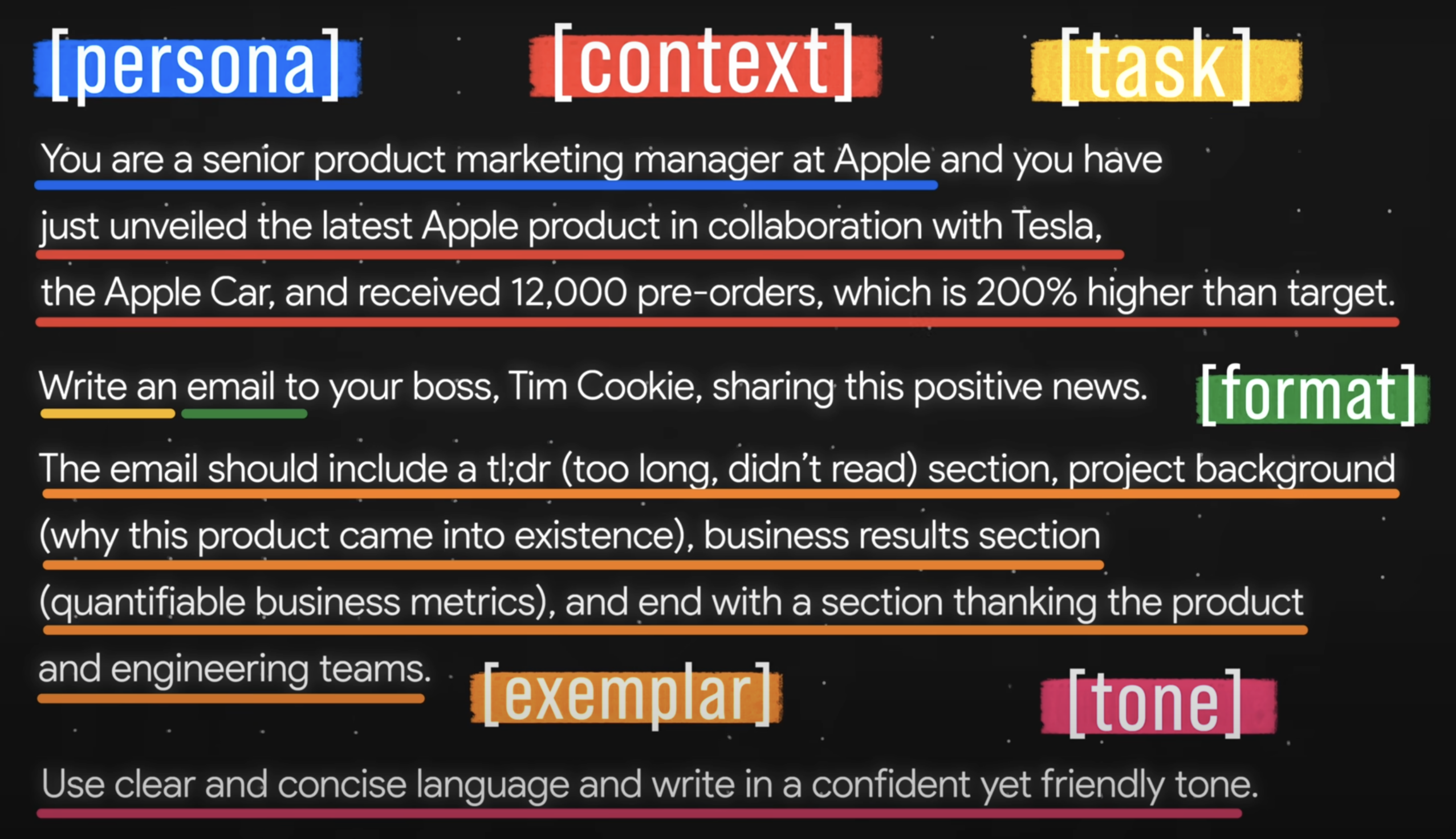
Jeff Su’s Learn 80% of NotebookLM in Under 13 Minutes!
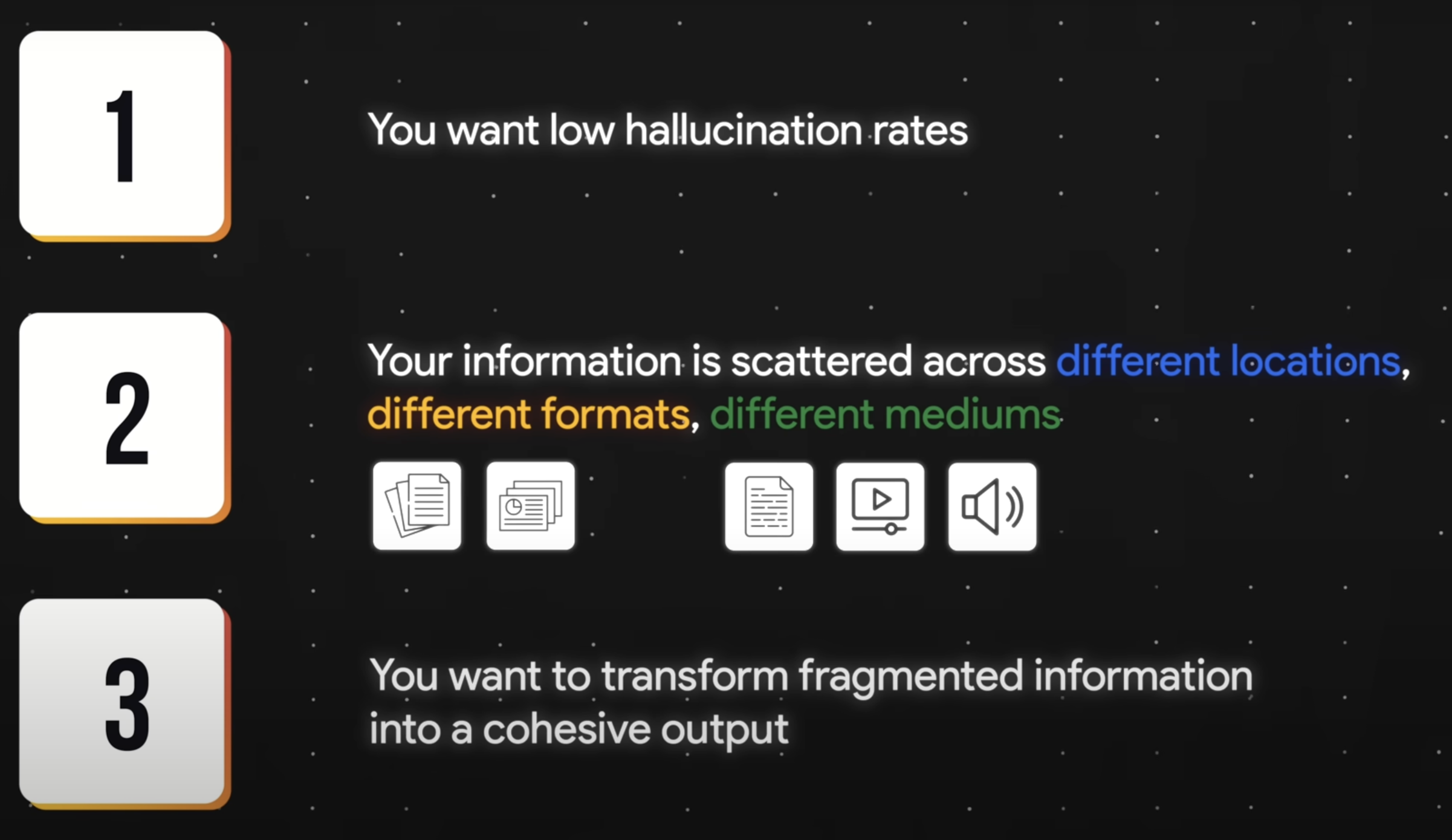
Pre-Session Poll Results
PROMPT: You are a professional presenter and educator. You are presenting at a CTE conference and presenting how to create an ultralearning curriculum for high school career and technical education students. The audience is career and tech teachers. Use the resources in this notebook to create a short bulleted list of material to answer the questions included below from the survey responses from conference session attendees. Here are the poll results…
- Recognizing my own limitations with AI (using it like Google) and trying new approaches.
- What is Ultralearning?
- Student accountability when using AI. making sure they don’t use it to cheat.
- I would like to get resources related to AI, the future of AI, and student career choices.
- Using AI in a way that encourages learning.
- Very interested in this session and see what you’ve put together!
- Affective AI use policy
NotebookLM’s Results
• What is Ultralearning?
◦ Ultralearning is defined as a self-directed and intense strategy for acquiring skills and knowledge. It’s about empowering individuals to become self-reliant and take control of their learning journeys.
◦ The goal is to help individuals master hard skills quickly and gain a competitive advantage, ultimately increasing their earning potential.
◦ Developed by Scott Young, Ultralearning is built upon nine core principles: Meta-learning, Focus, Directness, Drill, Retrieval, Feedback, Retention, Intuition, and Experimentation1. These principles provide a systematic “playbook” for rapid skill acquisition.
• Using AI in a way that encourages learning & addressing limitations with AI (using it like Google) and trying new approaches. The challenge of moving beyond AI as just a search engine is precisely where its power for ultralearning comes in. Here’s how AI can be leveraged for active, deep learning:
◦ Focused Learning Plans (Pareto Principle): AI can help students apply the Pareto Principle, identifying the 20% of a topic that will yield 80% of the practical application. This allows students to create highly focused learning plans, ensuring efficient use of their study time.
◦ Personalized Study Schedules: Students can prompt AI to create detailed study schedules, specifying available days and hours, and including dedicated time for revision and testing. This offloads the organizational burden and promotes consistency.
◦ Curated Learning Resources: AI can suggest a variety of learning resources such as videos, books, podcasts, and interactive exercises, tailored to different learning styles (e.g., visual) or specific needs (e.g., free resources). This saves significant time in resource discovery.
◦ Project Idea Generation for Active Learning (Directness): AI can generate skill-level appropriate project ideas, encouraging students to learn by doing. For example, a beginner learning C# for game development could get project suggestions like creating simple video games in Unity. Projects force the application of learned concepts, which is crucial for the “Directness” principle of Ultralearning4.
◦ Clarification and Deep Understanding (Feynman Technique, Intuition):
▪ Students can ask AI to explain complex topics in the simplest terms possible, as if to a beginner or a five-year-old, akin to the Feynman Technique3…. This process of simplification helps internalize concepts and develop genuine understanding, fostering “Intuition”.
▪ AI can also create mental models or analogies to aid understanding and retention3.
▪ It can guide students through visualization exercises to help them internalize concepts and imagine real-life applications, making abstract ideas more concrete.
◦ Critical Thinking and Reasoning (Socratic Method): Students can engage AI as a “Socrat” to use the Socratic method. The AI will ask open-ended questions to challenge statements and provide constructive feedback on responses, thereby improving critical thinking, logic, and reasoning skills3. This directly aligns with the “Feedback” principle of Ultralearning.
• Student accountability when using AI & an Effective AI use policy. While the sources do not provide explicit policies, the Ultralearning framework, especially when augmented by AI as described, inherently promotes methods that foster genuine understanding and accountability, making it harder for students to simply “cheat” or avoid true learning:
◦ Focus on Application (Directness & Project-Based Learning): By emphasizing learning through hands-on projects and direct application of skills—as AI can help generate and refine—students are compelled to genuinely engage with the material. Success in a project cannot be easily faked if it requires practical output.
◦ Emphasis on Retrieval Practice: Ultralearning stresses actively recalling information from memory rather than constant reliance on notes or external sources. AI can be used to facilitate self-quizzing and retrieval exercises, challenging students to demonstrate knowledge independently.
◦ Feynman Technique for Understanding: When AI is used to facilitate the Feynman Technique, students are asked to explain concepts in their own simplified terms. This process immediately reveals gaps in understanding, ensuring that students aren’t just memorizing facts but truly comprehending them….
◦ Constructive Feedback: AI can provide immediate and constructive feedback on student explanations or answers, which is a core principle of Ultralearning…. This allows students to self-correct and deepen their learning without judgment, reducing the temptation to avoid challenging questions.
◦ Developing Intuition and Expertise: Ultralearning aims for deep intuition and mastery, where students can adapt and apply skills fluidly59. This level of understanding goes far beyond what simple AI-generated answers can provide and requires active, personal engagement over time.
• Resources related to AI, the future of AI, and student career choices. The provided sources primarily focus on how to use AI as a tool for accelerated learning of any skill, rather than providing specific resources about the future of AI itself or direct guidance on student career choices in relation to AI. However, the overarching message of Ultralearning is to equip individuals with the ability to quickly pick up in-demand skills to gain a competitive advantage and increase earning potential in a rapidly evolving world. This framework is, in itself, a crucial resource for navigating future career landscapes, regardless of the specific technologies involved.
How do AI tools enhance and align with the core principles of ultralearning methodologies?
Response from Google NotebookLM
AI tools, particularly ChatGPT, significantly enhance and align with the core principles of ultralearning methodologies by streamlining various aspects of the self-directed learning process.
Here’s how AI tools facilitate and support each ultralearning principle:
• Meta-learning (What, Why, How): The first rule of ultralearning, meta-learning, involves mapping out your learning journey by defining objectives, timing, and resources2…. AI helps immensely here by allowing you to tell it to create a focused learning plan using the Pareto Principle1. This means AI can identify 20% of a topic that will yield 80% of the practical application, making the “what to learn” much clearer and more efficient. Furthermore, AI can generate a study schedule, specifying when and for how long to study, including revision and testing times1. It can also suggest various learning resources like videos, books, podcasts, and interactive exercises, tailored to different learning styles or preferences (e.g., free vs. paid, visual resources)1, directly addressing the “how” of your learning strategy.
• Focus (Deep Work): Ultralearning emphasizes deep, concentrated effort to achieve higher quality and more efficient learning by minimizing distractions45. While AI doesn’t enforce focus directly, its ability to quickly generate structured learning plans and study schedules1 reduces the time and mental effort spent on planning, allowing you to dedicate more time and cognitive energy to the actual focused learning1.
• Directedness (Learning by Doing): This principle is about actively engaging in the process you want to master by learning through application and building projects45. AI directly supports this by helping you come up with project ideas appropriate for your skill level. For example, you can ask for beginner video game projects to strengthen C# coding skills, which forces you to apply what you’re learning.
• Drill (Addressing Bottlenecks): Drilling involves breaking down complex topics, identifying your weakest areas or “bottlenecks,” and intensely studying them to improve overall performance4…. When encountering hurdles or concepts that don’t make sense during a project, AI can be used to gain clarification. You can ask it to explain a topic in the simplest terms, as if to a beginner or a five-year-old, or to create mental models and analogies1. This helps in dissecting difficult areas and targeting them for improvement.
• Retrieval (Active Recall): Retrieval is a crucial strategy for cementing learned information into long-term memory by actively recalling it from memory, often through self-testing78. AI powerfully aligns with this through its capability to act as a Socrat. By instructing AI to “ask open-ended questions” about a statement you make and then “give constructive feedback” after your response, it continuously prompts you to retrieve and articulate your understanding, significantly strengthening your memory and critical thinking skills1…. The AI-generated study schedules also include time for revision and testing, further supporting retrieval practice1.
• Feedback (Constructive Criticism): Receiving frequent, constructive, and corrective feedback is vital for identifying areas for improvement that you might not see yourself…. As mentioned above, when engaging with AI using the Socratic method, it is specifically designed to provide constructive feedback to your responses. This direct and immediate feedback helps you refine your arguments, understanding, and logic without fear of judgment.
• Retention (Regular Practice): To avoid forgetting, ultralearning emphasizes regular practice and revisiting learned knowledge and skills9. AI assists with retention through the creation of study schedules that explicitly include time for revision. Additionally, by providing project ideas, AI encourages the repeated application of skills in different contexts, a highly effective method for retaining knowledge. Guiding visualization exercises to help internalize concepts and imagine applying them in real-life situations also aids in deeper understanding and retention.
• Intuition (Deep Understanding): Intuition in ultralearning refers to developing a “sixth sense” or deep expertise that goes beyond superficial recall, allowing for a true understanding of a topic. AI helps foster this by providing simplified explanations using methods like the Feynman technique (explaining as if to someone else), creating mental models or analogies, and guiding visualization exercises. These methods encourage a deeper internalization of concepts, making abstract ideas more concrete and relatable, which contributes to developing intuition….
• Experimentation (Trying New Approaches): As skill develops, ultralearners are encouraged to experiment with new approaches, refine their process, and find their unique style, which keeps learning engaging and at the cutting edge…. While not explicitly stated as “experimentation,” AI’s ability to suggest various learning resources that cater to different learning styles and come up with diverse project ideas provides a foundation for experimentation by offering multiple avenues and strategies for learning and application. This flexibility allows learners to explore different methods and approaches to find what works best for them.
In essence, AI tools like ChatGPT serve as a personalized, patient, and resourceful guide throughout the ultralearning journey, automating the more tedious aspects of planning and resource discovery, while also providing interactive methods for deep understanding, application, and self-assessment.
Post-session Survey
- Please fill in the anonymous What Works and What Doesn’t Google Form
- Here is another version with names: More of, Less of Feedback Form
- This will help improve these workshops – THANKS!



 Scott Le Duc